Css Selectors: All You Need To Know.

Full-stack software engineer with 2.5 years of experience building reliable, scalable web apps using JavaScript, TypeScript, React, Next.js, Node.js, and MongoDB. I enjoy creating clean, reusable UI components, integrating APIs, and improving performance through web vitals, code-splitting, and smart bundling. I regularly use Claude, GPT, Cursor AI, and custom automation workflows to speed up development and solve problems faster. I’ve also worked with AI agents, LLMs to simplify workflows and make features more intuitive for users. Above all, I care about writing maintainable code, collaborating well with teams, and designing systems that stay fast, stable, and easy to scale.
What are CSS Selectors?
In CSS there are various types of selectors, selectors are used to target HTML elements that we wants to style. There are so many elements in HTML, that can confuse any Beginner-Dev that is trying to build things, so the transition from beginner Web-Dev to an Intermediate one is, getting familiar with CSS Selectors.
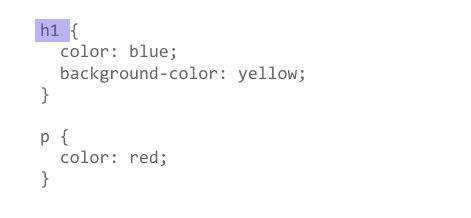
Types of CSS Selectors:
Universal Selector:
The Universal selector selects all the HTML elements, it is used to delete the default margins and paddings. It is denoted by *
*{
  margin: 0;
  padding: 0;
  box-sizing:border-box;
}
Type Selectors:
This group includes selectors that target HTML elements by their type. Like, <h1>, <li>, <nav>.
h1{
  color: #111;
}
Class Selectors:
This group includes selectors that target HTML elements by the class they are assigned to. Class is assigned by .classname inside an HTML tag.
.navbar{
  background-color: #111;
}
Note: Class can be assigned to many Elements at once.
ID Selectors:
This group includes selectors that target HTML elements by the ID they are assigned to. ID is assigned by #ID inside an HTML tag.
#Logo{
  height: 5em;
}
Note: IDs can be assigned to only one Element at once.
Attribute Selectors:
This group allows you to select HTML tags based on the presence of attributes they have in the tag. Attribute is targeted by tag-name[attribute]{}
img[alt="logo"]{
  height: 5em;
}
or
a[href="https://example.com"]{
  height: 5em;
}
Grouping Selectors:
This group allows you to select 2 or more elements at once. They are selected by , a,b{}. It'll apply the styles in all the selected elements.
div, span{
  display: inline-block;
}
Desendant Combinator:
The " " (space) selector selects the elements that are descendants of the first element A B{}.
ul li{
  display: flex;
}
Child Combinator:
The > selector selects the elements that are direct children of the first element A > B{}.
div > *{
  color: green;
}
Pseudo Selectors:
This group allows you to select and style certain HTML tags based on their state. The :hover pseudo-class selects an element only when it is being hovered by the mouse pointer.
.list-items:hover{
  background-color: #111;
}
or
a:visited{
  color: purple;
}
Thankyou for reading, i'll come up with more!
let's connect Linkedin